
Dr. Mark Joseph O’Connell Fashion CAD: Technical Drawing & Fashion Illustration Tutorials
Fashion CAD brings together the precision of technical drawing and the expressive possibilities of fashion illustration. In contemporary fashion design, digital drawing is used throughout the design process: to develop ideas, communicate garment construction, explore colour and proportion, create presentation drawings, and prepare designs for product development and production.
This online tutorial series introduces Fashion CAD using Adobe Illustrator, with a particular focus on drawing garments clearly, accurately and efficiently. Whether you are learning digital fashion drawing for the first time or developing an existing fashion portfolio, the tutorials are designed to be followed step by step and revisited as needed.
What is Fashion CAD?
CAD stands for Computer-Aided Design.
Within fashion, however, the term Fashion CAD is often used more broadly to describe the digital tools and processes designers use to draw, develop and communicate garments and collections.
Fashion CAD can include:
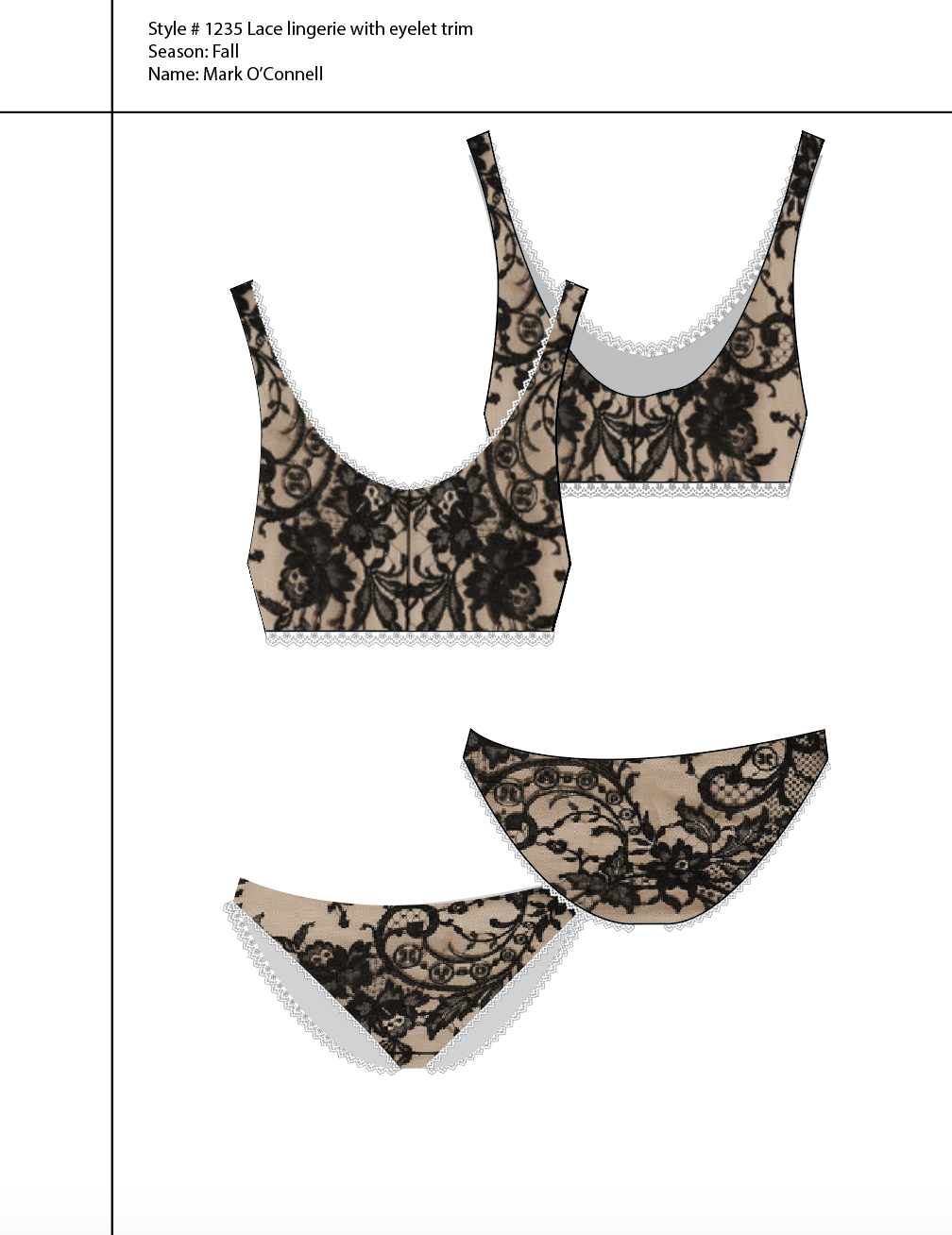
- technical flats and garment drawings
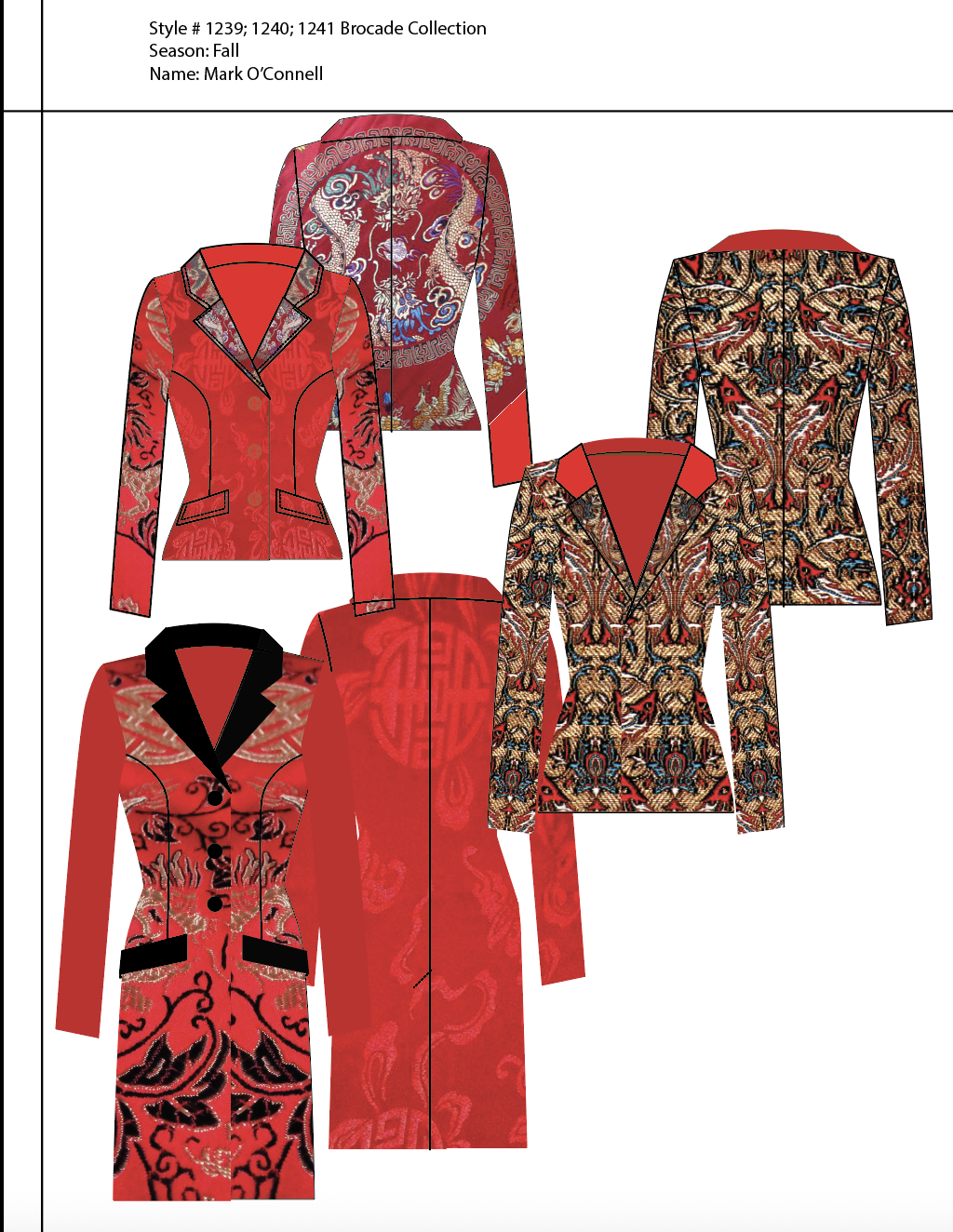
- fashion illustrations
- colourways
- textile prints and patterns
- garment details
- presentation boards
- specification and product-development artwork
- portfolio and collection presentations
Adobe Illustrator is particularly useful for fashion because its vector-based drawing tools allow garment drawings to remain precise, editable and scalable.
Technical Drawings
What is a Fashion Technical Drawing?
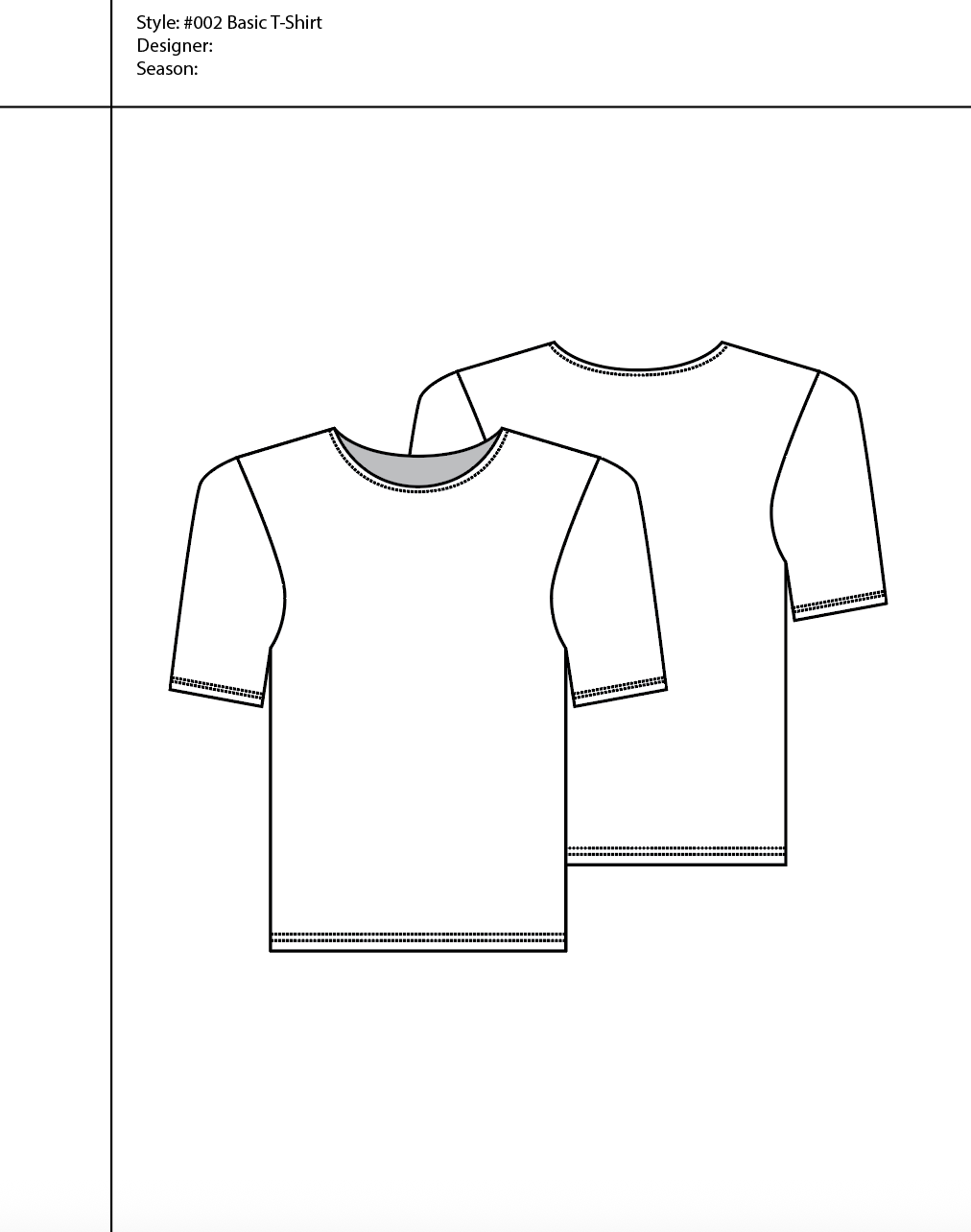
A fashion technical drawing — often called a technical flat, flat sketch, or simply a technical — is a clear drawing of a garment shown as though it were laid flat.
Unlike a fashion illustration, the primary purpose of a technical drawing is communication rather than expression.
A technical drawing explains what the garment is.
It should allow another person to understand its silhouette, proportions, construction and important design details without having to interpret an expressive illustration.
Technical drawings commonly show:
- front and back views
- garment silhouette and proportion
- seams and panel lines
- darts and shaping
- collars and necklines
- pockets
- cuffs and hems
- closures
- buttons, snaps and zippers
- topstitching
- gathers, pleats and tucks
- trims and other construction details
Consistency and clarity are essential.
Line weight, symmetry, proportion and the placement of garment details all contribute to a drawing that can communicate effectively between designers, pattern makers, product developers, manufacturers, buyers and other members of a fashion team.
Technical Drawing as a Language of Fashion
Within fashion design, the technical drawing occupies a distinctive space between the first imaginative gesture of a design and the moment when that idea begins to assume material form. Often referred to as a flat, the drawing presents the garment in a clear, generally static view, allowing proportion, construction, and design detail to be understood with an economy that is difficult to achieve through a more expressive fashion illustration. Front and back views establish the architecture of the garment, while additional side or interior views may reveal information that would otherwise remain hidden: the turn of a facing, the placement of a fastening, the shape of a pocket, the relationship between seams, or the internal logic of a particular construction. In this sense, the flat becomes a visual language through which an imagined garment can be made legible to others (Szkutnicka 2010, 12–19).
The apparent simplicity of a technical drawing can be deceptive, because clarity depends upon a highly considered understanding of the garment itself. A designer must recognise which lines describe silhouette, which indicate construction, and which details deserve greater emphasis, allowing the drawing to communicate the hierarchy of the garment with precision. The silhouette is generally given greater visual weight, while internal seams and construction details are treated more delicately, creating a drawing whose line quality quietly guides the eye through its structure. A successful flat therefore depends upon observation as much as software: the designer has to understand how the garment is built before its construction can be convincingly translated into line (Abling and DaCosta 2017, 232–49).
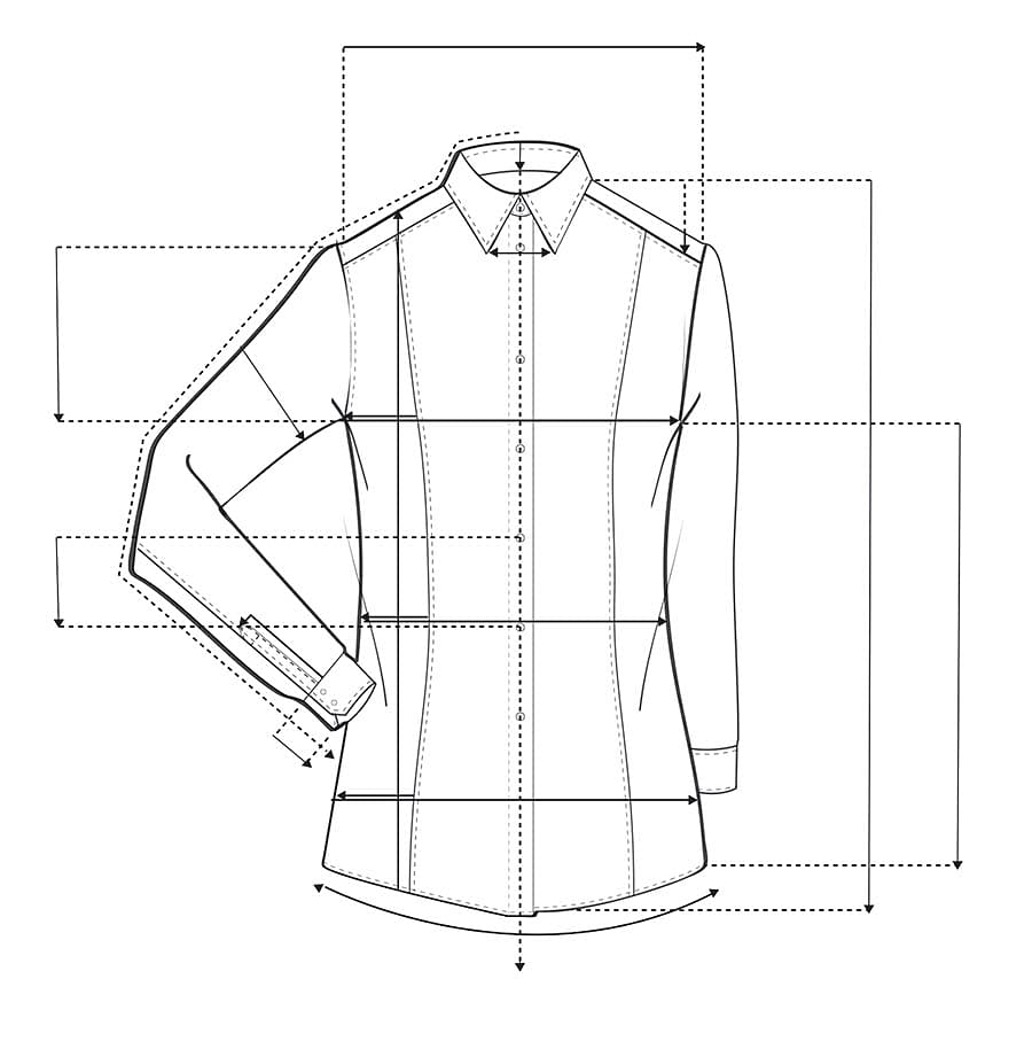
Technical drawings also change according to their intended use. The traditional flat is usually static and communicates proportion and construction, while a spec flat extends this language into the measured precision of production, where dimensions and technical information become integral to the drawing. The less common float introduces a more animated quality, suggesting how a garment might inhabit the body while retaining the descriptive discipline of a technical drawing. These distinctions reveal the elasticity of the form: a flat can sit quietly within a specification sheet, appear as part of a line board, accompany an illustration in a look book, or support the larger visual narrative of a collection (Abling and DaCosta 2017, 232–49).
Within design development, the flat offers a way of examining an idea with unusual attentiveness. A fashion sketch may capture the atmosphere of a silhouette almost immediately, while the technical drawing asks the designer to consider how that silhouette will actually exist: where the seam must fall, how a sleeve enters an armhole, how a pocket is constructed, where a closure begins, or how a proportion relates to the body. At college, flats can sit alongside sketches and fashion illustrations to clarify construction and proportion, while within industry they move into line sheets, costing documents, specification sheets, look books, and production communication (Szkutnicka 2010, 12–19).
The specification sheet, or spec sheet, carries this descriptive responsibility furthest. Here the flat is supported by measurements and construction information that allow the garment to be interpreted beyond the designer’s studio. Front and back views may be joined by side or internal views, while enlarged details can clarify small areas of construction. The drawing becomes part of a larger technical document in which proportion has consequence, because omissions or ambiguities can alter the way a pattern is interpreted and, ultimately, the way a sample is made (Szkutnicka 2010, 14–15).
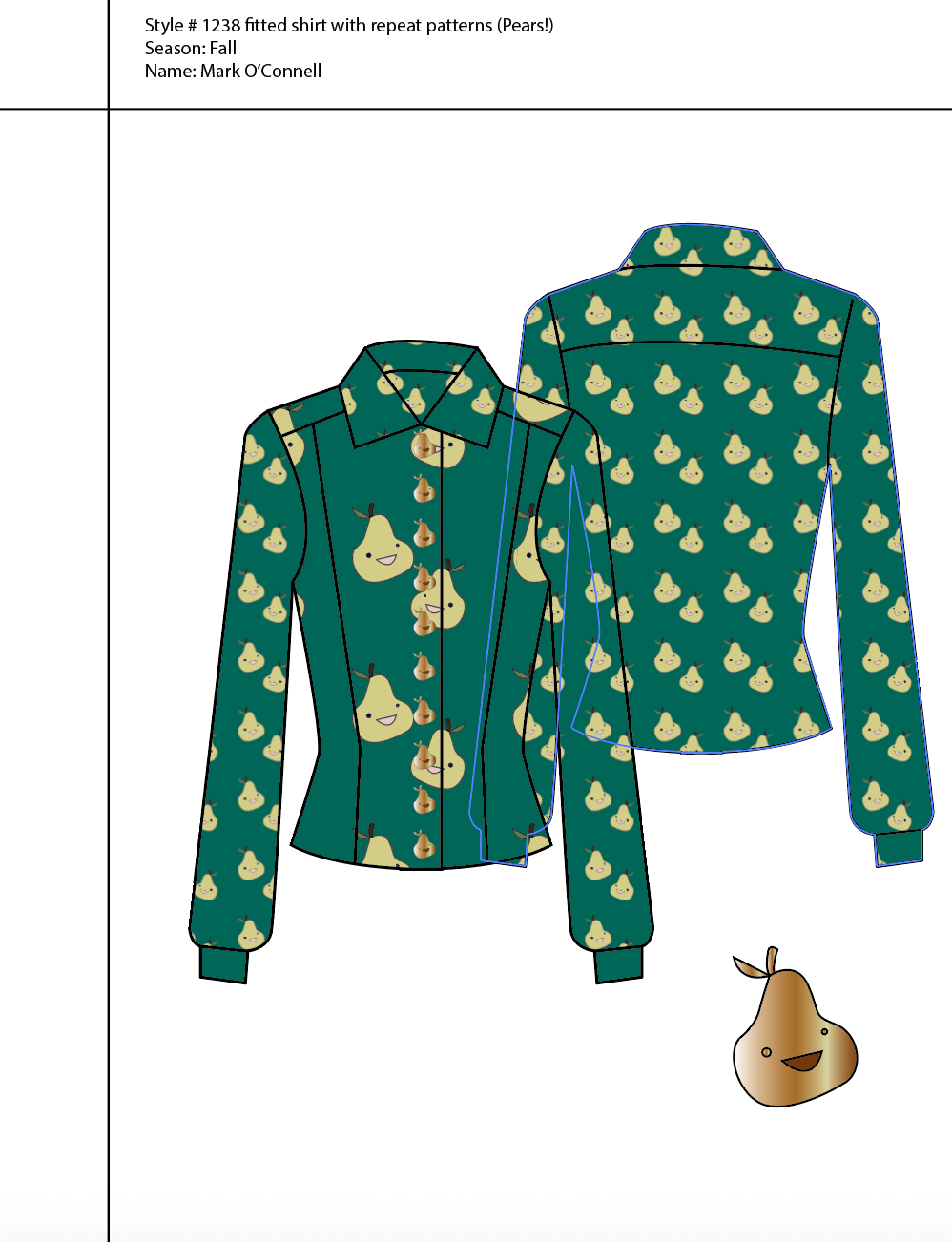
Fashion CAD has transformed the way these drawings are produced while preserving the underlying discipline that gives them meaning. Adobe Illustrator is particularly well suited to the technical flat because vector drawing allows line, proportion, repetition, and symmetry to be controlled with great exactitude, while a completed garment drawing can be adapted for colourways or reused across a developing collection. Yet the value of CAD lies in the quality of observation that precedes the digital mark. The software can refine the line; the designer must understand what the line describes.
There is also room within technical drawing for authorship. Szkutnicka observes that flats created for presentation sheets, design development, line boards, look books, and price lists can carry something of the illustrator’s personality, provided that expression never obscures the information the drawing is required to convey (Szkutnicka 2010, 12–13). Changes in line weight, the subtle suggestion of fabric character, or the particular balance of detail can give a technical drawing a recognisable visual voice. Precision and elegance can therefore coexist, giving the flat a graphic presence that belongs equally to the practical world of garment development and to the visual culture of fashion.
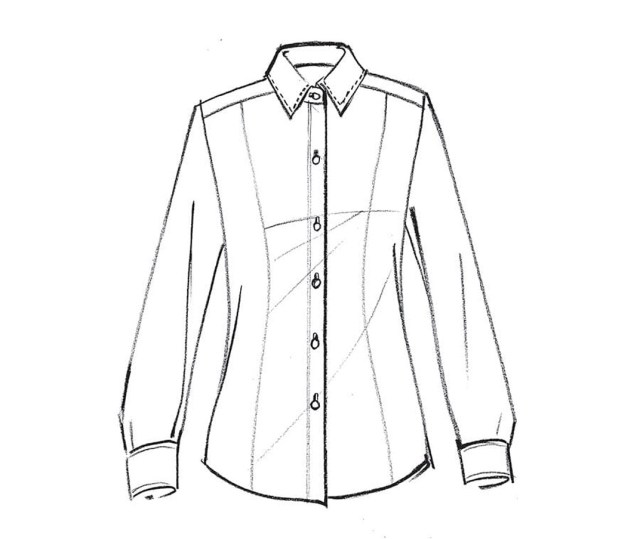
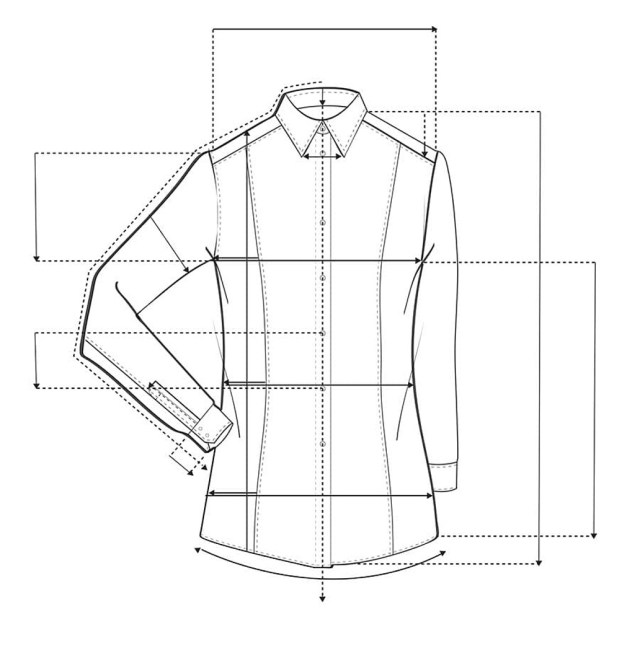
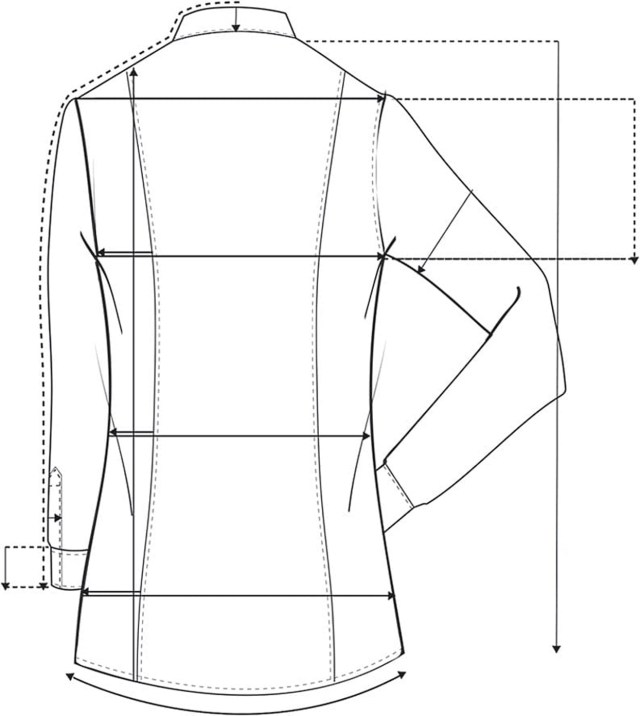
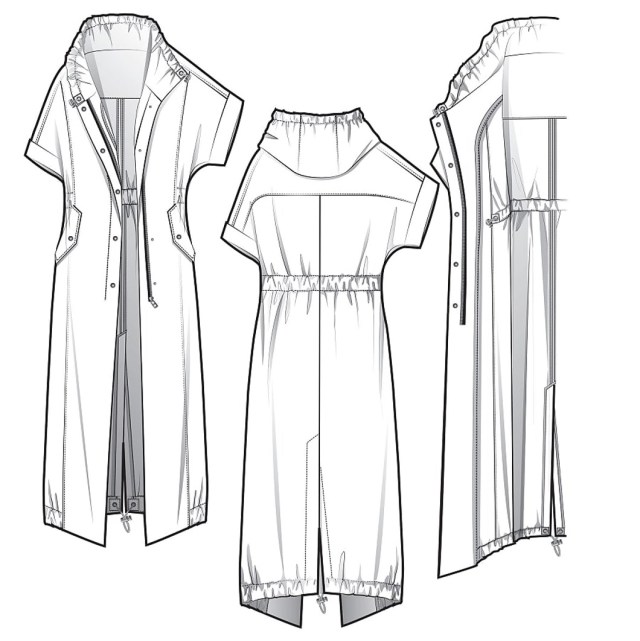
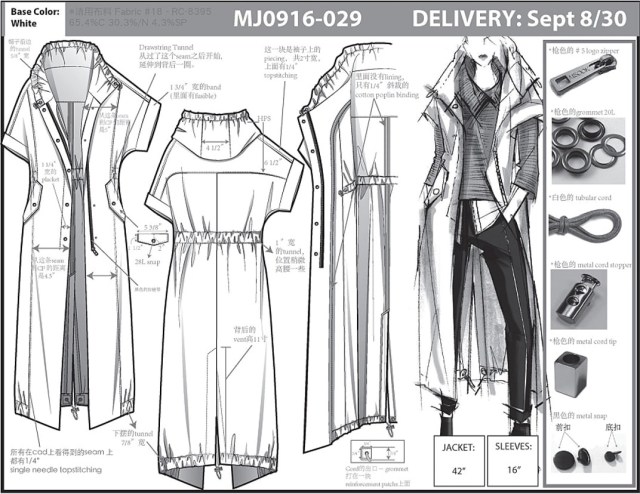
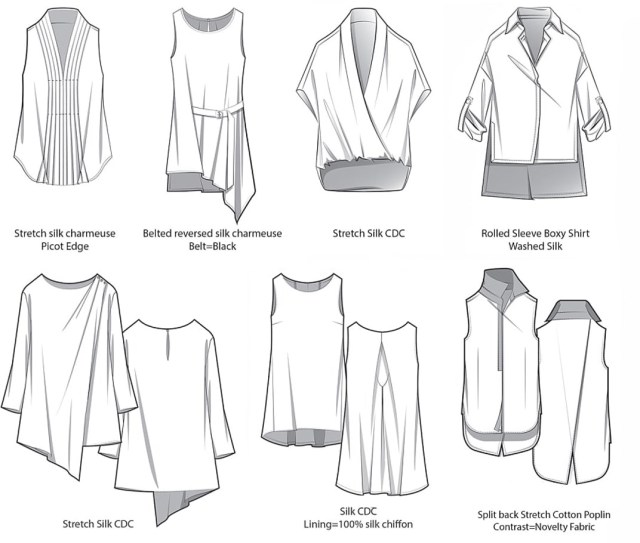
Images from:
Abling, Bina, and Felice DaCosta. 2017. Fashion Flats & Technical Drawing. New York: Fairchild Books.
How are Technical Drawings Used?
A fashion idea has to move beyond the designer’s imagination.
The technical drawing helps translate an idea into information that other people can understand and work with.
During the design and product-development process, technical flats may be used to:
Develop a design
Drawing a garment technically often reveals construction and proportion questions that are not obvious in an initial sketch.
Communicate design intent
A clear flat allows designers, pattern makers and product-development teams to discuss the same garment accurately.
Create colourways
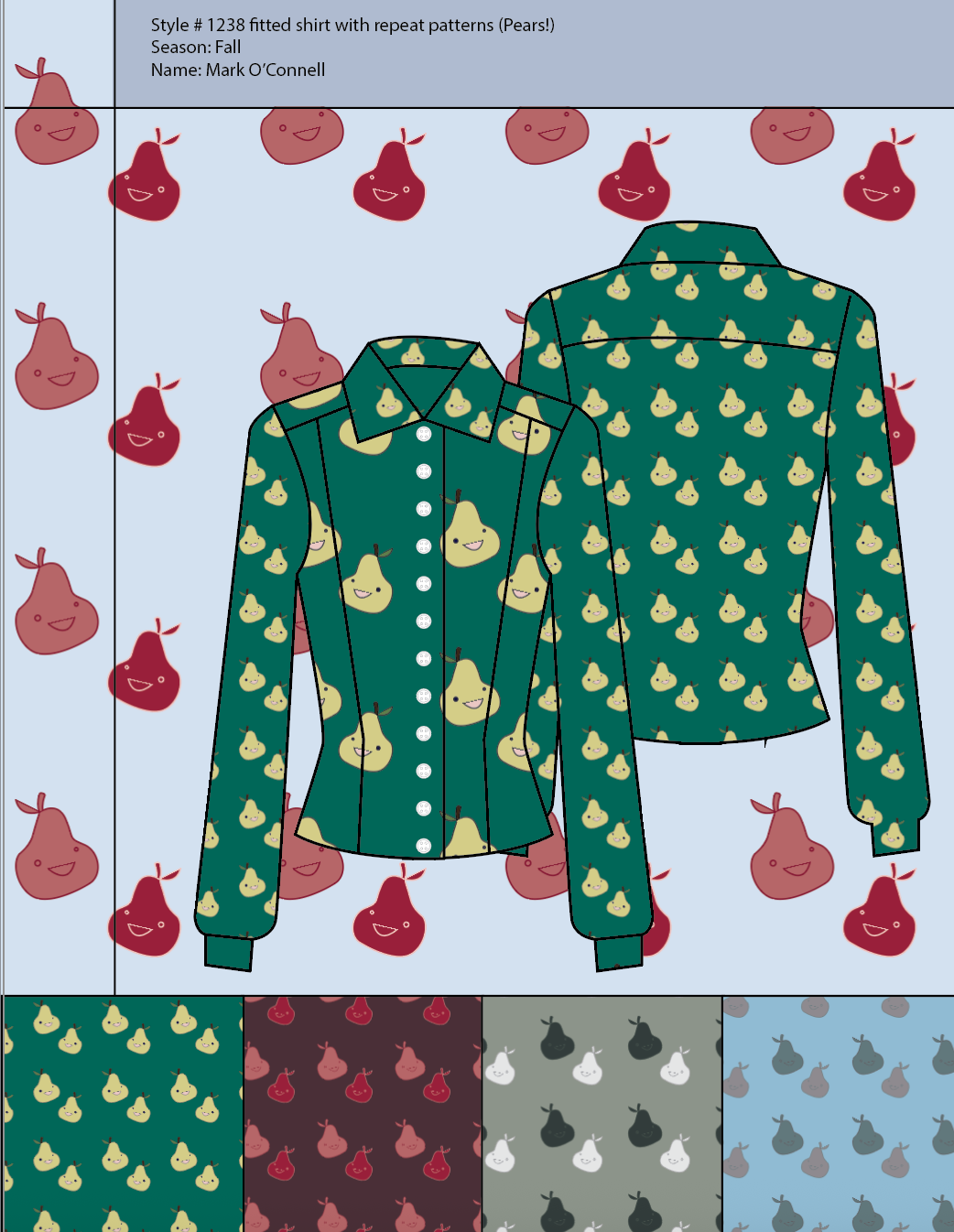
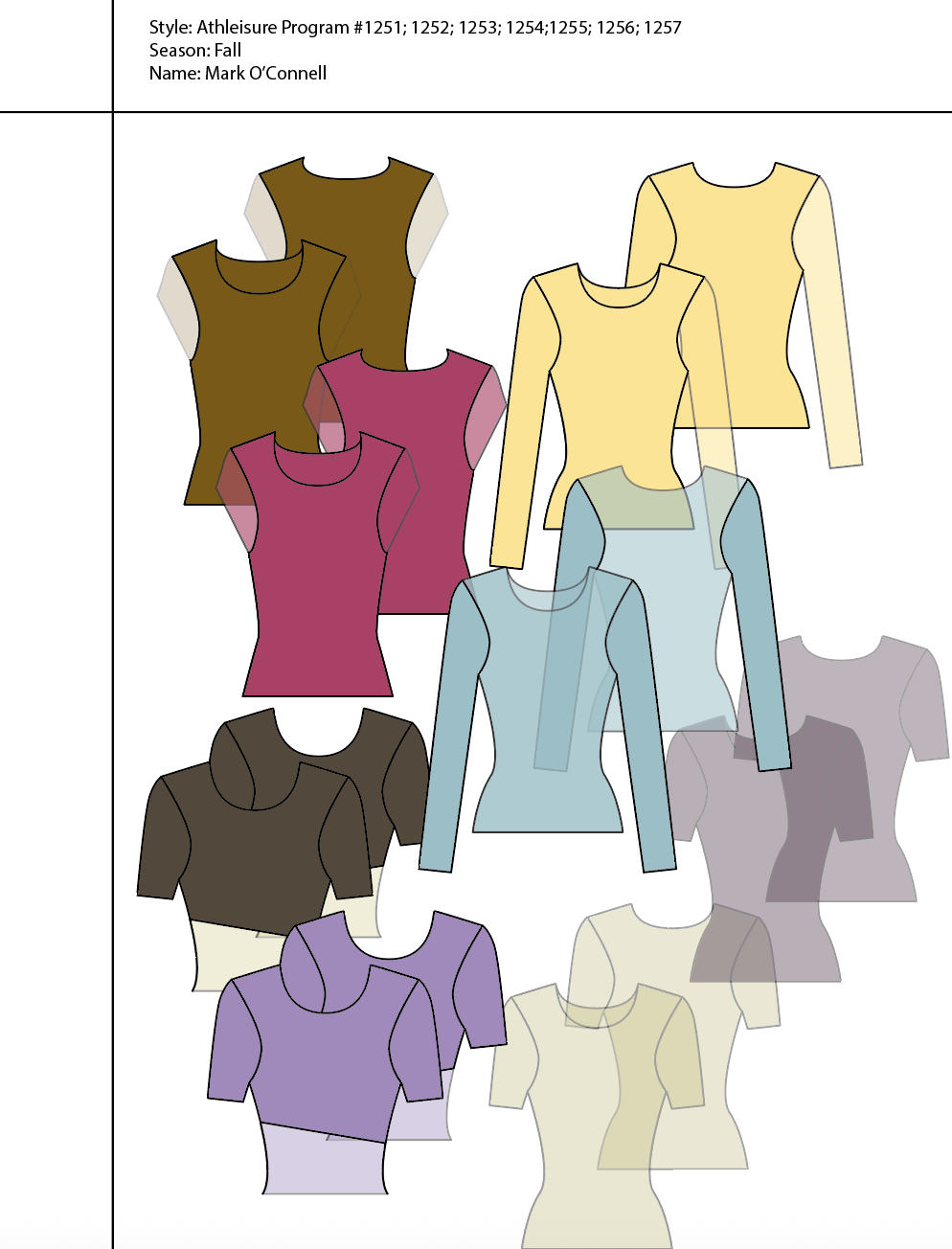
Once a garment has been drawn digitally, different colours, materials and design variations can be explored efficiently.
Build specification sheets and tech packs
Technical drawings are frequently combined with measurements, construction information, materials and other production details.
Present a collection
Clean technical drawings can also be used alongside illustrations, fabric swatches and collection imagery to communicate the structure of a range.
From Croquis to CAD
A croquis provides the underlying figure or proportion system upon which a fashion design can be developed.
Working digitally allows the designer to place a croquis into Adobe Illustrator and use it as a guide while creating new fashion drawings.
The croquis is not the finished design. It is a framework.
As you become more comfortable using Illustrator, the aim is not simply to trace. It is to understand how line, shape, proportion and construction can be controlled digitally.
This tutorial series begins with that process.
Fashion CAD Video Tutorials
Learn Adobe Illustrator for Fashion Design
The Fashion CAD 1 video series introduces digital fashion drawing through a sequence of practical Adobe Illustrator demonstrations.
The opening tutorial, CAD1: Placing a Croquis into an Illustrator Document, demonstrates how to begin a Fashion CAD workspace by bringing a croquis into Illustrator.
From there, use the playlist to continue through the tutorials in sequence.
These videos are intended as practical demonstrations. Pause them, work alongside them in Illustrator, repeat techniques where necessary, and gradually build your own library of digital drawing skills.
Fashion CAD 1 — Video Tutorial Series
WATCH THE PLAYLIST BELOW
How to Use These Tutorials
You will learn most effectively by drawing while you watch.
For each tutorial:
- Open Adobe Illustrator before beginning the video.
- Create or open your working Fashion CAD file.
- Watch a short section of the demonstration.
- Pause the video.
- Repeat the process yourself.
- Save frequently and keep earlier versions of your work.
- Repeat difficult techniques rather than trying to complete the tutorial quickly.
Digital drawing is a practical skill. Familiarity develops through repetition.
Fashion Illustration in CAD
Fashion CAD does not have to be purely technical.
The same digital tools can also be used to create expressive fashion illustrations and collection imagery.
Vector shapes, line, colour, pattern and transparency can be combined with more gestural drawing approaches to communicate:
- movement
- fabric
- silhouette
- styling
- personality
- atmosphere
- collection identity
Technical precision and creative expression are therefore not opposites.
Learning to control digital drawing gives the designer another visual language — one that can move from the accuracy of a technical flat to the freedom of fashion illustration.
Continue Learning
Fashion CAD is best understood as part of a larger design process.
Develop your technical drawing alongside:
observational drawing
to understand garments, bodies and construction
fashion illustration
to communicate mood, movement and design identity
textile and colour development
to explore surface, print and material
garment construction
to understand how two-dimensional drawings become three-dimensional clothing
Adobe Photoshop and InDesign
to develop imagery, presentation boards, portfolios and professional design documents
Digital software is most powerful when it supports (rather than replaces) an understanding of drawing, materials, construction and the body.
References:
Abling, Bina, and Felice DaCosta. 2017. Fashion Flats & Technical Drawing. New York: Fairchild Books.
Szkutnicka, Basia. 2010. Flats: Technical Drawing for Fashion. London: Laurence King Publishing.
About the Tutorials
These Fashion CAD tutorials are presented by Dr. Mark Joseph O’Connell, Professor of Fashion Studies at Seneca Polytechnic in Toronto.
The series draws upon teaching and professional design practice to introduce digital fashion drawing as both a creative and communicative tool.

